STemWIN is a free version of SEGGER emWIN ONE.
This library is a professional graphical stack library, enabling the building up of Graphical User Interfaces (GUIs) with any STM32, any LCD/TFT display and any LCD/TFT controller, taking advantage of STM32 hardware accelerations whenever possible.
- Key Features
- Rich set of widgets (buttons, checkboxes, calendars, gauges, …)
- Window and overlap manager
- Full set of Development tools: GUIBuilder to create screens, Font converter, simulator, …
- Free professional graphical stack library available in binary form
- Memory-sparing features (memory pool, per band screen creation, refresh only changed portions, …)
- Able to handle many kinds of displays with optimized mechanisms
- Alpha blending, Antialiasing, Cursors
- VNC server to display remotely the display via VNC protocol (based on TCP/IP)
- Raw graphical renderer (Pixels, Shapes, Fonts, …)
Download the STemWIN package and unzip it.
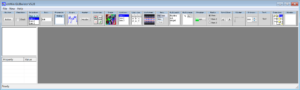
- GUI Builder
- In the folder:
…\Middlewares\ST\STemWin\Software\
there is the:
GUIBuilder.exe
allow to create a layout from the STemWin widgets
and generates a “resource array” into a .C file (WindowDLG.c)
—
—
- In the folder:
- Create/Edit an Image
- In the folder:
…\Middlewares\ST\STemWin\Software\
there is:
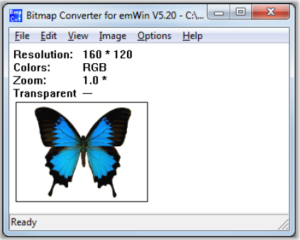
BmpCvt.exe
allow to create or convert images to different color formats and store them as C files
—
— - There are also the files below:
• BmpCvt.exe can be used for bitmap conversion and storage to .c files
• Bin2c.exe can be used to store any binary in .c form, e.g. complete bitmap files
—
- In the folder:
- Font Editor
- In the folder:
…\Middlewares\ST\STemWin\Software\
there is:
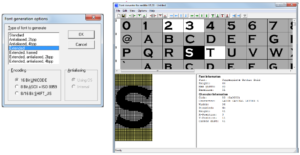
SetupFontCvt_V528.exe
Install it on the PC.
After the installation you have the:
The FontCvt allow to:
• Create fonts from any windows font
• Manage the number of characters so that you save only those you
—need → save ROM
• Export as .c files
–
–
- In the folder:
- For more info see the: